SUMMARY
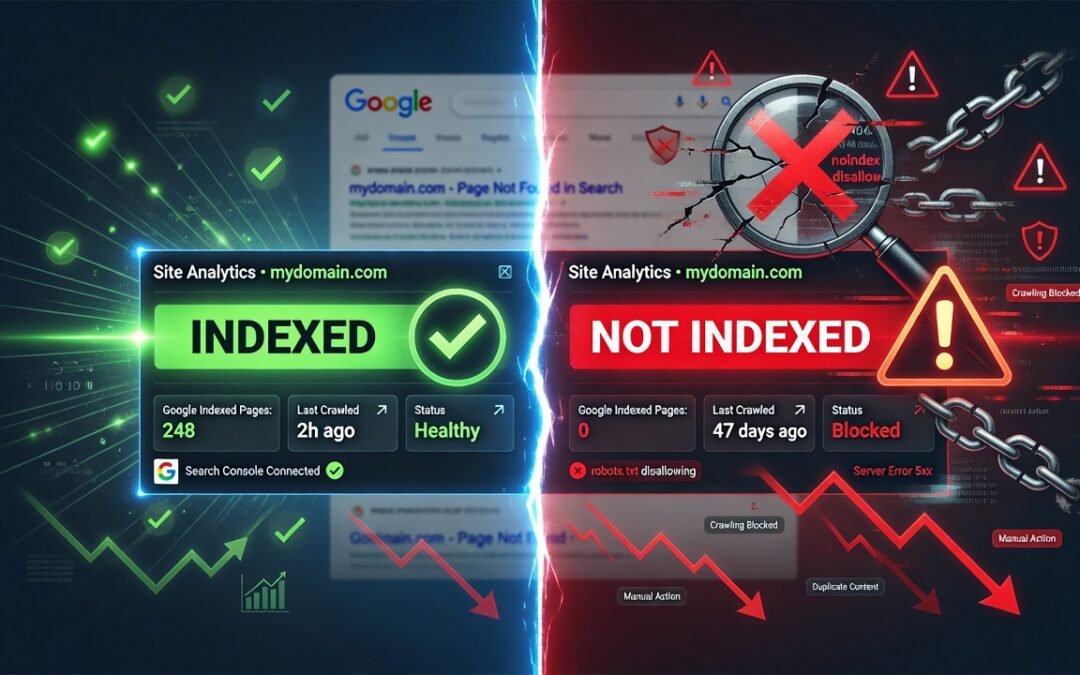
Waking up to find your website completely removed from Google’s search index is one of the most alarming experiences any website owner or SEO professional can face. Overnight deindexation can obliterate your organic traffic, destroy your search rankings, and devastate your revenue — all before your morning coffee. This comprehensive guide walks you through every step of diagnosing why Google deindexed your website, how to recover quickly and correctly, and what preventative measures you must implement to ensure it never happens again. Whether you triggered a manual penalty, a technical glitch caused the issue, or a core algorithm update wiped your visibility, this article gives you the full recovery roadmap.
TABLE OF CONTENTS
- What Does It Mean When Google Deindexes Your Website?
- How to Confirm Your Website Has Been Deindexed
- Common Reasons Google Deindexes a Website Overnight
- Step-by-Step Recovery Plan After Deindexation
- How to Submit a Reconsideration Request to Google
- Technical Fixes That Speed Up Reindexation
- How to Prevent Future Deindexation
- Conclusion
What Does It Mean When Google Deindexes Your Website?
When Google deindexes your website, it means Googlebot has removed all or a significant portion of your web pages from the Google Search index. This is the database Google uses to serve search results. If your pages aren’t in the index, they simply cannot appear in the Search Engine Results Pages (SERPs), no matter how well-optimized they are.
Deindexation is not the same as a ranking drop. A ranking drop means you’ve slipped from position 3 to position 15. Deindexation means you’ve vanished entirely. Users searching for your brand name, your exact URL, or your primary keywords will find nothing.
This can happen to a single URL, a section of your website, or your entire domain — and it can occur overnight due to a Google algorithm update, a manual action penalty, a technical misconfiguration, or a violation of Google’s Webmaster Guidelines.
Understanding the distinction between these causes is the first step toward recovery.
How to Confirm Your Website Has Been Deindexed
Before panicking, confirm the situation. Use these diagnostic methods:
Use the Site: Search Operator
Open Google and type site:yourdomain.com in the search bar. If Google returns zero results, your site has been deindexed. If it returns fewer pages than expected, you may have partial deindexation — a situation that’s equally concerning and requires immediate attention.
Check Google Search Console
Log in to Google Search Console (GSC) immediately. Navigate to:
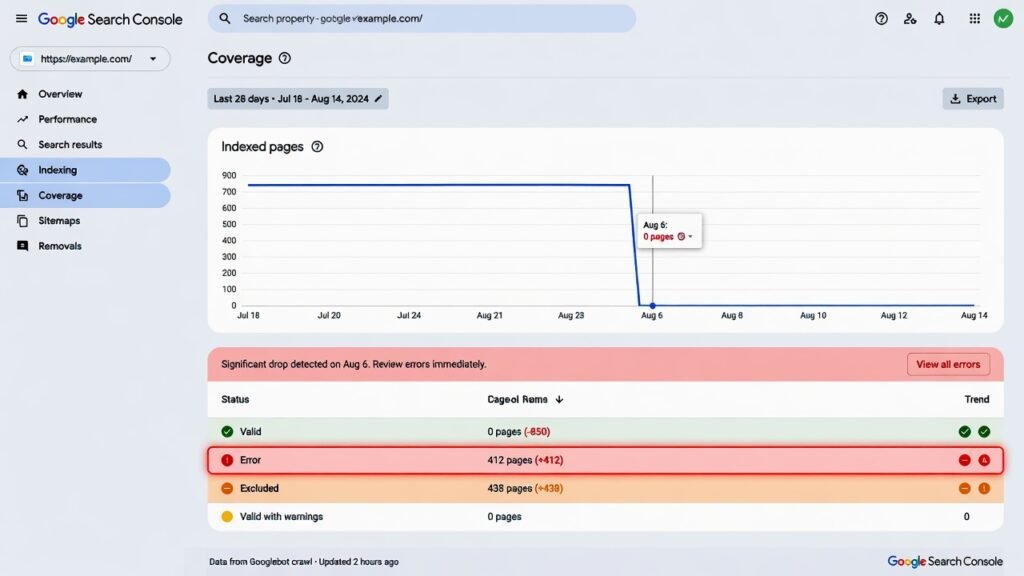
- Coverage Report → Look for a spike in “Excluded” pages or a sudden drop in “Valid” pages
- Manual Actions → Any manual penalty will be listed here with a clear description
- Index Coverage → This shows you exactly how many pages Google has indexed over time
If there’s a sharp cliff in your index coverage graph, that’s your smoking gun.
Common Reasons Google Deindexes a Website Overnight
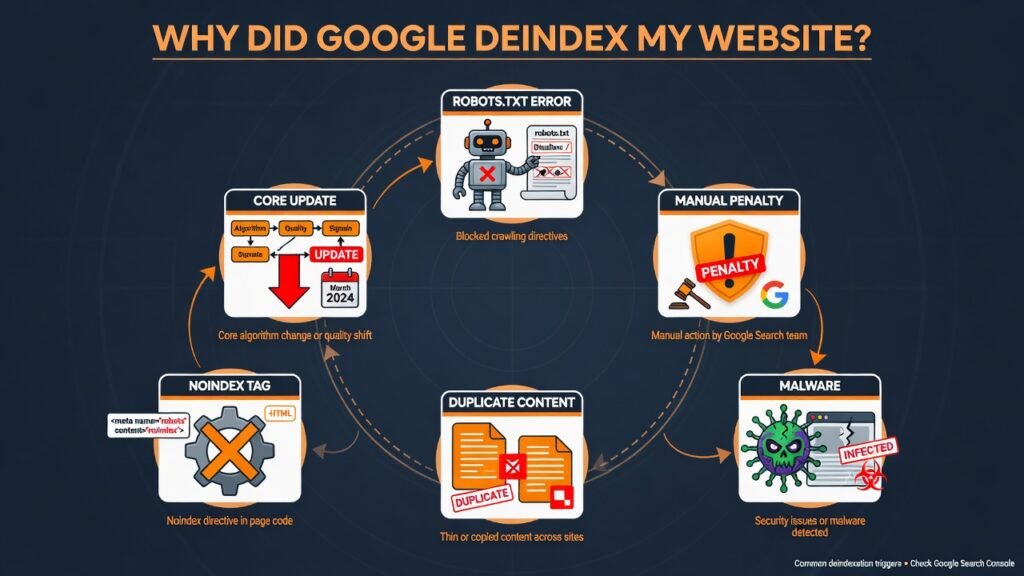
Understanding why your site was deindexed is non-negotiable before attempting any fix. Here are the most frequent culprits:
1. Manual Action Penalty from Google
Google’s spam team can issue a manual action against your website for violating its Search Essentials (formerly Webmaster Guidelines). Common triggers include:
- Unnatural inbound or outbound link schemes
- Hidden text or cloaking
- Hacked or malware-infected content
- Thin, low-quality, or auto-generated content
- User-generated spam in comments or forums
When a manual action is issued, it’s logged directly in Google Search Console under the Manual Actions report. This is one of the clearest paths to identification.
2. Robots.txt Misconfiguration
One of the most common technical mistakes that causes overnight deindexation is an accidental change to the robots.txt file. A single line like:
User-agent: *
Disallow: /
…tells Googlebot to crawl nothing on your site. If a developer pushed this change to production — even briefly — it can trigger a rapid removal of your pages from the index.
To learn how to identify and resolve technical crawling barriers, check out this guide on Fix Crawl Errors in Google Search Console for a hands-on walkthrough.
3. Noindex Tags Incorrectly Applied Site-Wide
Similar to robots.txt issues, a meta noindex tag (<meta name=”robots” content=”noindex”>) applied globally — often through a CMS plugin setting — can tell Google to remove every page it has indexed. This happens frequently during website migrations, theme changes, or plugin updates.
4. Google Algorithm Update
Core algorithm updates like Google’s Helpful Content System, SpamBrain, or Penguin can trigger mass deindexation for sites that rely heavily on black-hat or low-quality content strategies. Unlike manual penalties, these are algorithmic decisions and require substantive content improvements rather than a reconsideration request.
5. Duplicate Content Issues
Widespread duplicate content signals can erode your crawl budget, confuse Googlebot’s canonicalization signals, and ultimately lead to mass deindexation of thin or duplicated pages. If you’re publishing content that closely mirrors other pages — either internally or from external sources — this becomes a serious liability. Learn how Duplicate Content Is Hurting Your Rankings and what you can do to fix it before Google takes action.
6. Hacking or Malware Injection
Cybercriminals frequently inject malicious code, spam links, or doorway pages into vulnerable websites. Google’s Safe Browsing infrastructure detects these threats and can remove your site from the index to protect users. Check Google’s Transparency Report to see if your domain has been flagged for malware or phishing.
7. Expired Domain or Hosting Issues
If your domain has expired or your hosting has gone down for an extended period, Googlebot may stop receiving valid responses from your server. Repeated crawl failures over time can cause Google to drop your pages from the index.
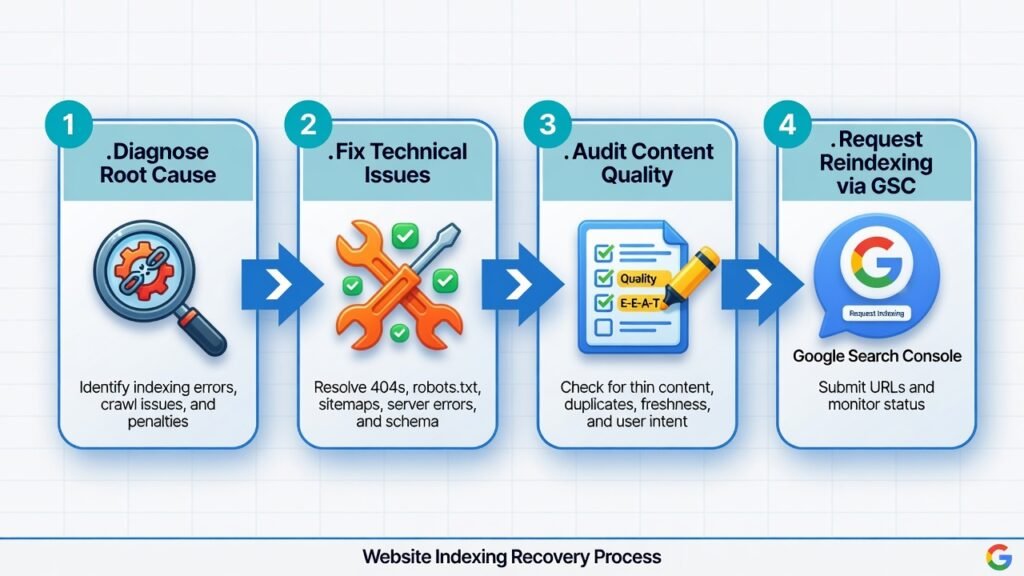
Step-by-Step Recovery Plan After Deindexation
Recovery requires a structured, methodical approach. Don’t rush to submit a reconsideration request before you’ve identified and fixed the root cause.
Step 1 — Diagnose the Root Cause First
Use the GSC data, the site: operator, and server logs to pinpoint exactly when the deindexation began. Cross-reference this with:
- Recent changes to robots.txt, CMS settings, or plugins
- Google algorithm update release dates (use resources like Moz Algorithm History or SEMrush Sensor)
- Any security alerts from your hosting provider or Google Safe Browsing
Step 2 — Fix the Technical Issue Immediately
If the deindexation was caused by a technical error:
- Robots.txt blocking: Remove the disallow rule and verify via the robots.txt Tester in GSC
- Noindex tags: Remove global noindex settings and verify page-level tags are intentional
- Hosting or domain issues: Restore uptime and ensure DNS records are correctly configured
- Malware or hacking: Clean the site using security tools like Sucuri, Wordfence, or Cloudflare, then request a malware review in GSC
Step 3 — Audit and Clean Up Your Content
If a Google penalty or algorithm update triggered the deindexation, you need a full content audit:
- Remove or consolidate thin, low-quality, and auto-generated pages
- Eliminate keyword stuffing and hidden text
- Add original insights, author expertise, and E-E-A-T signals (Experience, Expertise, Authoritativeness, Trustworthiness) to your content
- Implement proper canonical tags to resolve duplicate content issues
- Disavow toxic backlinks using the Google Disavow Tool
Step 4 — Request Indexing via Google Search Console
Once fixes are in place, use the URL Inspection Tool in GSC to request indexing for your most important pages. For site-wide issues, submit your XML sitemap and request a full crawl.
Be patient — full reindexation can take days to several weeks, depending on your site’s crawl budget, authority, and the nature of the issue.
How to Submit a Reconsideration Request to Google
If your site received a manual action, fixing the issue alone isn’t enough. You must formally notify Google through a reconsideration request.
Here’s how to craft one effectively:
- Be transparent: Acknowledge what violated Google’s guidelines
- Document your fixes: Provide a clear, evidence-based list of every change you made (screenshots, disavow files, content removals)
- Show commitment: Explain the steps you’ve implemented to prevent recurrence
- Be concise: Google reviewers process hundreds of requests — get to the point
Navigate to Manual Actions in GSC → Click Request Review → Fill out the form thoroughly.
Response times vary from a few days to several weeks. If your request is denied, Google provides guidance on what still needs to be addressed.
Technical Fixes That Speed Up Reindexation
Accelerating reindexation requires proactive technical SEO work:
- Submit an updated XML sitemap with only indexable, high-quality URLs
- Improve page speed — slow-loading pages get crawled less frequently
- Fix broken internal links — a clean internal link structure helps Googlebot navigate your site efficiently
- Earn high-quality backlinks — authoritative external links signal trustworthiness to Google and increase crawl frequency
- Use structured data markup (Schema.org) — helps Googlebot understand your content faster
- Monitor crawl stats in GSC regularly to catch future issues before they escalate
Working with professionals who understand both the technical and strategic dimensions of search engine optimization can significantly shorten your recovery timeline. Learn more About an SEO Agency that specializes in exactly these kinds of recovery scenarios.
How to Prevent Future Deindexation
The best recovery strategy is one you never have to use. Implement these preventative measures as part of your ongoing website health monitoring routine:
Set Up Automated Monitoring
Use tools like Google Search Console alerts, Ahrefs Site Audit, or Semrush Site Health to get instant notifications if your indexed page count drops suddenly.
Conduct Monthly Technical SEO Audits
Regularly scan for: broken canonical tags, unintentional noindex directives, crawl errors, robots.txt changes, and Core Web Vitals regressions. According to Google’s Search Central Blog, a healthy crawl infrastructure is one of the strongest foundations for long-term indexation stability.
Maintain Rigorous Content Quality Standards
Every piece of content you publish should provide genuine value, demonstrate topical authority, and meet Google’s Helpful Content standards. Prioritize original research, first-hand experience, and subject matter expertise over volume.
Secure Your Website
Keep your CMS, plugins, and themes updated. Use an SSL certificate, enable two-factor authentication, and perform regular malware scans. A hacked website can lose its index status faster than almost any other issue.
Build a Diverse, Natural Backlink Profile
Avoid buying links, participating in link schemes, or using private blog networks (PBNs). Focus instead on earning editorial backlinks through compelling content, digital PR, and genuine outreach. According to Google’s official link spam policies, manipulative link practices remain one of the most common triggers for manual penalties and algorithmic deindexation.
Conclusion
Finding your website deindexed by Google is a serious crisis — but it’s a recoverable one, provided you act methodically and decisively. The key is to diagnose before you fix, fix thoroughly before you request reinstatement, and implement long-term preventative systems to protect your hard-earned search visibility.
Start with Google Search Console, identify whether the issue is technical or policy-related, make comprehensive corrections, and then rebuild with a content strategy rooted in genuine value and technical excellence. The road back to the Google index is rarely instant, but with the right approach, your organic traffic, search rankings, and domain authority can fully recover — and often emerge stronger than before.