SUMMARY
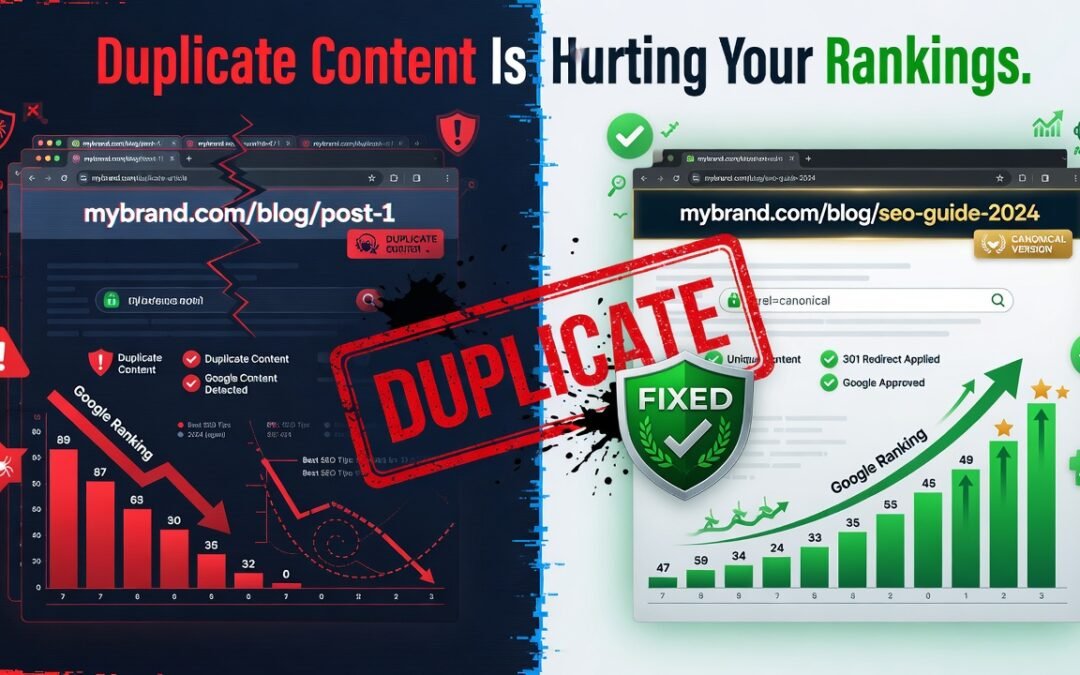
Duplicate content is one of the most silent yet devastating SEO killers. It confuses search engine crawlers, splits your link equity, and causes Google to rank the wrong page — or none at all. This in-depth guide about Duplicate Content Is Killing Your SEO breaks down exactly what duplicate content is, why it’s hurting your organic search rankings, and provides a precise, step-by-step fix using canonical tags, 301 redirects, parameter handling, and content consolidation strategies. Whether you’re dealing with internal duplication, scraped content, or URL parameter issues, this article has the complete solution.
TABLE OF CONTENTS
- What Is Duplicate Content in SEO?
- Why Duplicate Content Hurts Your Search Rankings
- Types of Duplicate Content You Need to Know
- How to Find Duplicate Content on Your Website
- The Exact Fix for Duplicate Content (Step-by-Step)
- Duplicate Content and Crawl Budget: A Hidden Problem
- How to Prevent Duplicate Content Going Forward
- Conclusion
You’ve invested hours into writing content, building backlinks, and optimizing your on-page SEO — yet your pages refuse to climb the search engine results pages (SERPs). The culprit? It might not be your keyword strategy or your domain authority. It could be something lurking inside your own website: duplicate content.
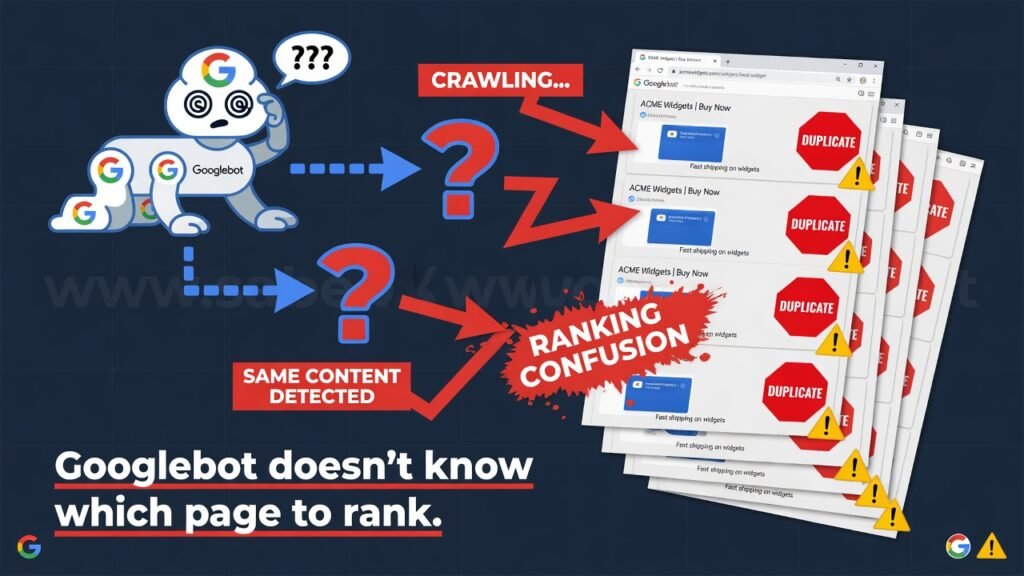
Duplicate content is a well-documented ranking suppressor that Google’s algorithm actively penalizes through what SEO professionals call the duplicate content penalty — though more accurately, it’s a filtering and devaluation process. When search engines like Google, Bing, and other crawlers encounter substantially similar content at multiple URLs, they face an indexing dilemma: which version should rank? The result is ranking dilution, wasted crawl budget, and split link equity — all of which damage your organic search performance.
This comprehensive guide gives you the exact, actionable fix. No fluff. Just a complete SEO blueprint to identify, eliminate, and prevent duplicate content from undermining your digital marketing efforts.
What Is Duplicate Content in SEO?
Duplicate content refers to substantively identical or very similar content appearing at more than one URL on the web — either within your own domain (internal duplication) or across different domains (external duplication).
Google’s John Mueller and the official Google Search Central documentation define it as blocks of content within or across domains that are completely identical or appreciably similar.
Examples include:
- HTTP vs. HTTPS versions of the same page are being indexed separately
- WWW vs. non-WWW URL variants, both resolving and being crawled
- Paginated content where page 1 and page 2 share introductory sections
- Product pages with minor variant differences (color, size) are treated as separate pages
- Printer-friendly page versions with identical body text
- Session IDs and URL parameters generate hundreds of unique URLs for the same content
The key insight is this: Google doesn’t penalize you maliciously for duplication in most cases — it simply becomes confused and chooses one version, often the wrong one.
Why Duplicate Content Hurts Your Search Rankings
Understanding the mechanism of how duplication damages rankings is essential before applying any fix.
Ranking Signal Dilution
When identical content exists at multiple URLs, inbound backlinks pointing to your page get split between those URLs. Instead of concentrating all link equity — also called PageRank flow — into one powerful page, your authority gets scattered. A page with 50 backlinks pointing to one URL will almost always outrank the same page with 50 backlinks split across three duplicate URLs.
Crawl Budget Waste
Search engine crawlers operate on a crawl budget — a finite number of pages Googlebot will crawl on your site within a given timeframe. When duplicate URLs exist, crawlers waste precious crawl budget revisiting semantically identical pages. This is particularly catastrophic for large e-commerce websites with thousands of product pages and URL parameter combinations.
Wrong Page Ranking
Google’s algorithm selects one “canonical” version from a cluster of duplicate pages to rank. This process — called canonicalization — is automated. Without your explicit guidance, Google may choose to rank a session-ID URL, a pagination page, or even a filtered category page over your clean, optimized primary URL.
Content Freshness and Authority Loss
When Google consolidates signals from duplicate pages, the original page may lose its perceived freshness and topical authority. This directly impacts E-E-A-T (Experience, Expertise, Authoritativeness, Trustworthiness) signals, which are critical ranking factors in Google’s Helpful Content System.
Types of Duplicate Content You Need to Know
Internal Duplicate Content
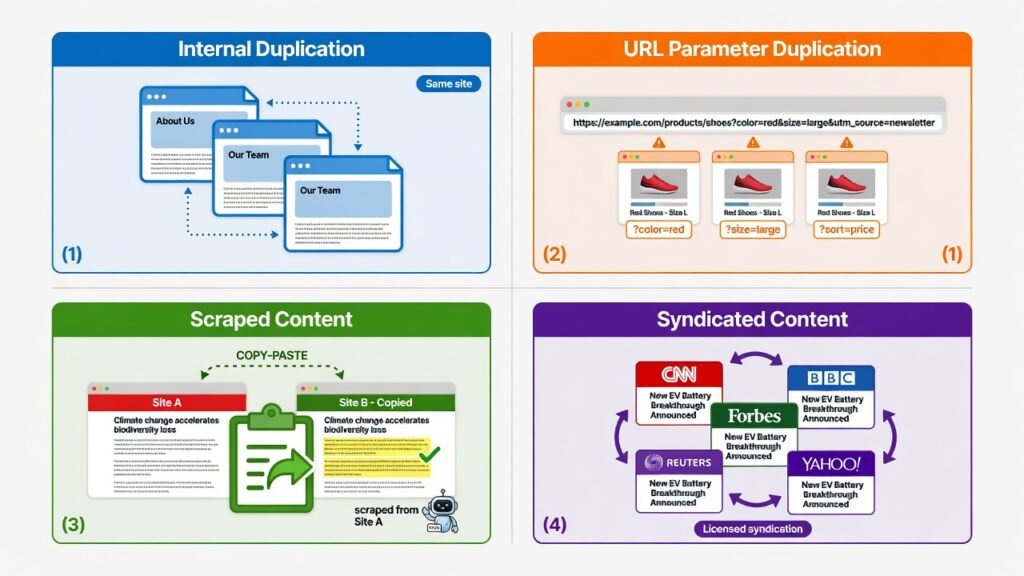
This is duplication within your own website. It’s the most common type and often the most damaging because it directly competes with your own pages against each other. Common causes include CMS-generated pagination, tag and category archive overlaps, and multiple URL formats for the same page.
URL Parameter Duplication
E-commerce platforms are especially vulnerable. Filtering, sorting, and session tracking parameters like ?sort=price, ?ref=homepage, or ?sessionid=12345 can create thousands of unique URLs for the exact same page content. Each of these can be indexed separately, multiplying your duplicate content problem exponentially.
Scraped and Syndicated Content
If third-party sites republish your content without proper attribution or canonical tags, those external duplicates can outrank your original pages — especially if the third-party domain has higher authority. Syndication agreements with major publishers like Medium or news aggregators must include canonical tags pointing back to your source.
HTTP/HTTPS and WWW/Non-WWW Variants
These are technical duplicates caused by improper server configuration. If http://example.com, https://example.com, http://www.example.com, and https://www.example.com all resolve independently without redirecting to one canonical version, you have four versions of every page competing against each other.
How to Find Duplicate Content on Your Website
Before fixing the problem, you need to audit your site thoroughly. Here are the primary tools and methods used by professional SEO practitioners:
Screaming Frog SEO Spider — The gold standard for technical SEO audits. Run a crawl and check the “Duplicate Content” report to identify pages sharing identical page titles, meta descriptions, H1 tags, and body content.
Google Search Console — Navigate to the Coverage Report and look for warnings related to “Duplicate without user-selected canonical” and “Duplicate, Google chose a different canonical than the user.” These flags directly tell you where Google’s canonicalization decisions conflict with your intentions.
Siteliner.com — A free tool that scans your domain for internal duplicate and near-duplicate content, giving you a percentage similarity score between pages.
Ahrefs Site Audit / Semrush Site Audit — Both platforms include duplicate content detection within their technical SEO audit modules, with actionable severity ratings.
Also, be sure to Fix Crawl Errors in Google Search Console, as these issues often overlap directly with duplicate content problems — crawl errors and duplicate indexing frequently appear together in the Coverage Report and must be resolved in tandem for full SEO recovery.
The Exact Fix for Duplicate Content (Step-by-Step)
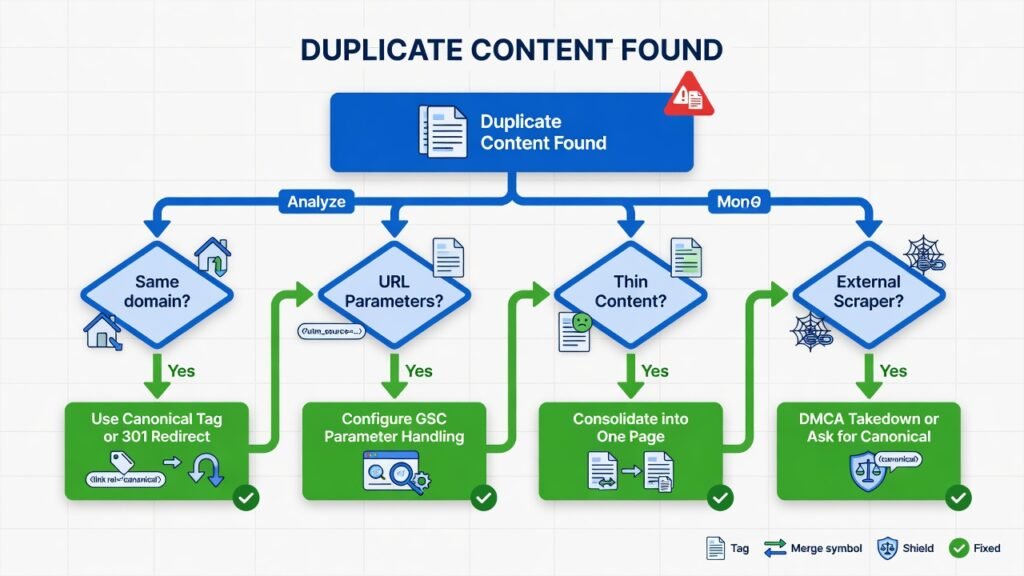
Fix 1 — Implement Canonical Tags Correctly
The canonical tag (rel=”canonical”) is your primary weapon against duplicate content. It’s an HTML element placed in the <head> section of a page that signals to search engines which URL is the “master” or preferred version.
Implementation:
html
<link rel="canonical" href="https://www.yourwebsite.com/preferred-page-url/" />Place this tag on every duplicate page pointing to the original. Also, place a self-referencing canonical on the original page itself. This is a widely recommended best practice that reinforces your preferred URL across all indexed versions.
Critical rules for canonical tag success:
- The canonical URL must be a fully qualified absolute URL — never a relative path
- Ensure the canonical URL itself is not redirecting or returning a non-200 status code
- Never chain canonicals — if Page A canonicalizes to Page B, Page B must not canonicalize to Page C
- Canonical tags are hints, not directives — Google may override them if your site structure contradicts the signal
Fix 2 — Use 301 Redirects Strategically
When a duplicate page should simply not exist independently, the cleanest fix is a 301 permanent redirect to the preferred URL. Unlike canonical tags, 301 redirects pass virtually all link equity and are a directive — not a hint.
Use 301 redirects for:
- HTTP → HTTPS migration
- Non-WWW → WWW (or vice versa) consolidation
- Old URL slugs after content restructuring
- Paginated pages, where page 1 is the only useful version
In .htaccess for Apache servers:
<!-- wp:paragraph -->
<p>apache</p>
<!-- /wp:paragraph -->

<!-- wp:paragraph -->
<p>RewriteEngine On</p>
<!-- /wp:paragraph -->

<!-- wp:paragraph -->
<p>RewriteCond %{HTTPS} off</p>
<!-- /wp:paragraph -->

<!-- wp:paragraph -->
<p>RewriteRule ^(.*)$ https://www.yourwebsite.com/$1 [R=301,L]</p>
<!-- /wp:paragraph -->
Important: Avoid creating redirect chains where URL A → URL B → URL C. Flatten all redirects to point directly to the final destination URL.
Fix 3 — Handle URL Parameters in Google Search Console
Google Search Console’s URL Parameters tool (available under Legacy Tools) allows you to tell Googlebot how to handle specific query parameters.
For each parameter:
- Specify whether it changes page content (like a language switcher) or does not change content (like a tracking ID)
- Instruct Googlebot to either crawl or not crawl URLs with that parameter
For modern setups, use the robots.txt file to disallow crawling of parameter-generated URLs:
Disallow: /*?sort=

Disallow: /*?ref=

Disallow: /*?sessionid=
Alternatively, use the <meta name=”robots” content=”noindex, follow”> tag on parameter-generated pages you don’t want indexed but need to remain accessible to users.
Fix 4 — Consolidate Thin and Similar Content
Thin content — pages with insufficient, low-value, or duplicated information — is a direct signal against your site’s E-E-A-T score. Google’s Helpful Content Update (HCU) has made this more impactful than ever.
The consolidation strategy:
- Identify all similar or overlapping posts using your audit tools
- Merge the best elements from multiple thin pages into one comprehensive, authoritative resource
- Redirect all merged URLs (301) to the new consolidated URL
- Update your internal linking to point to the new canonical page
For example, if you have three blog posts covering slightly different aspects of the same topic, combine them into one pillar page with proper heading hierarchy, structured data markup, and comprehensive coverage of the topic cluster.
Fix 5 — Update Your Internal Linking Structure
Your internal linking architecture directly reinforces which pages Google perceives as canonical and authoritative. After fixing your duplicate content issues:
- Ensure all internal links point to the canonical version of each URL (no trailing slash inconsistencies, no HTTP links when HTTPS is live)
- Update your XML sitemap to include only canonical URLs
- Remove all paginated URLs from your sitemap unless each pagination page has unique, substantial content
Explore more expert strategies and technical SEO walkthroughs in our SEO Blogs section for ongoing insights into search engine optimization best practices.
Duplicate Content and Crawl Budget: A Hidden Problem

For large websites with thousands of pages, crawl budget management is a mission-critical SEO concern. When Googlebot allocates crawl bandwidth to your domain, it distributes it across all discovered URLs. Duplicate URLs consume that budget without generating ranking value.
The practical impact: important new pages may not get indexed for days or weeks because crawlers are too busy revisiting duplicate parameter URLs and session-based pages. This is a real and serious problem for e-commerce sites, news publishers, and content-heavy platforms.
Solutions for crawl budget optimization:
- Implement a comprehensive robots.txt strategy to block low-value URLs
- Submit a clean, canonical-only XML sitemap to Google Search Console
- Improve your server response times — faster servers get higher crawl priority
- Use log file analysis to see exactly which URLs Googlebot is crawling and identify wasteful patterns
How to Prevent Duplicate Content Going Forward
Fixing existing duplicate content is half the battle. Prevention requires systematic processes built into your content operations:
Establish a URL structure policy. Before publishing any new content, define your URL format rules: trailing slashes or not, category prefixes or not, date-based slugs or not. Consistency prevents accidental duplication.
Conduct regular SEO audits. Schedule monthly or quarterly technical SEO audits using Screaming Frog or Semrush to catch new duplication issues before they accumulate.
Use canonical tags as standard practice on every page — including self-referencing canonicals. This ensures that even if external sites scrape or syndicate your content, the canonical signal is embedded at the source.
Configure your CMS correctly. WordPress, Shopify, and other major platforms often generate duplicate content by default through tag archives, author pages, and paginated archives. Use an SEO plugin like Yoast SEO or Rank Math to noindex or canonicalize these automatically.
Monitor for content scrapers. Use Google Alerts and tools like Copyscape to detect when your content appears on other domains without proper attribution. Request canonical attribution or file a DMCA takedown where appropriate.
Conclusion
Duplicate content is not a minor inconvenience — it is a systematic SEO problem that silently erodes your rankings, wastes your crawl budget, and dilutes the link equity you’ve worked so hard to build. The good news is that it’s entirely fixable with the right technical approach.
To recap the exact fix:
- Audit your site with Screaming Frog, Google Search Console, and Ahrefs
- Implement canonical tags on all duplicate and preferred pages
- Set up 301 redirects for outdated, merged, or technical duplicate URLs
- Control URL parameters via GSC and robots.txt
- Consolidate thin content into authoritative pillar resources
- Update internal linking and your XML sitemap to reflect the canonical structure
- Prevent future duplication with CMS configuration and regular audits
Every one of these steps compounds on the others. Together, they send a clear, unambiguous signal to Google: this is the authoritative page, this is the content that should rank, and this domain deserves to be trusted.
Start with your audit today. The rankings you recover could transform your organic traffic in weeks.