Summary
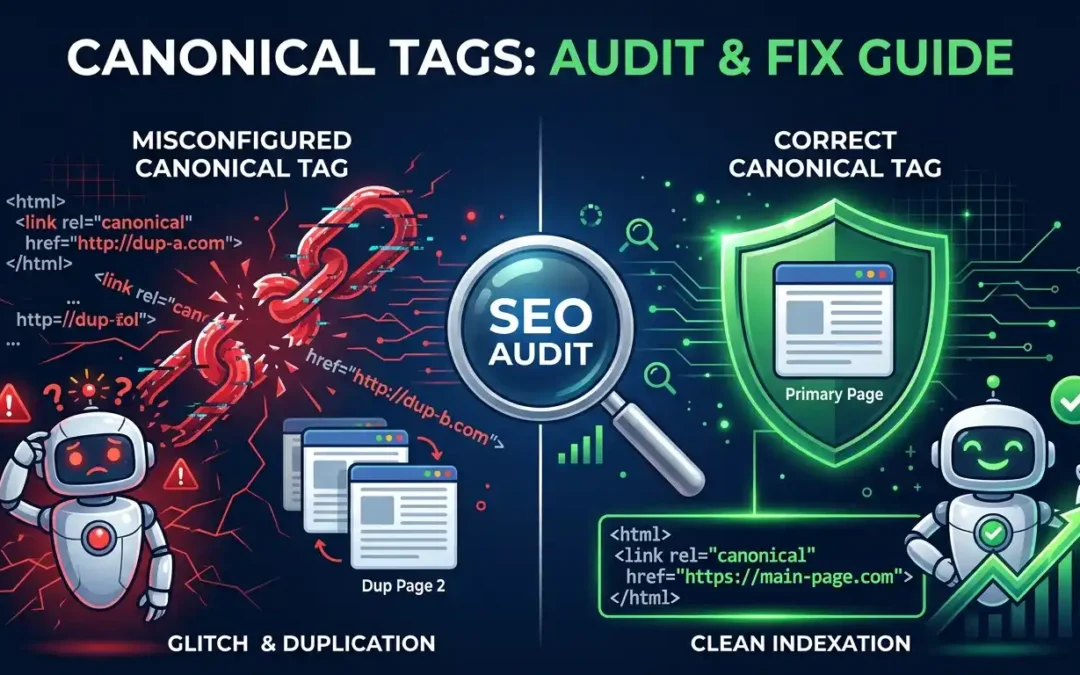
Canonical tags are one of the most misunderstood and frequently misconfigured elements in technical SEO. A single wrong canonical URL can silently bleed your page authority, confuse search engine crawlers, and tank pages that should be ranking. This in-depth guide Canonical Tag Audit: Fix Errors Fast walks you through everything you need to know about identifying, auditing, and fixing canonical tag errors on your website — using free and paid tools, manual checks, and proven best practices that SEO professionals use every day.
Table of Contents
- What Is a Canonical Tag and Why Does It Matter?
- Common Types of Canonical Tag Misconfiguration
- How Canonical Errors Hurt Your SEO Performance
- Tools You Need for a Canonical Tag Audit
- Step-by-Step: How to Audit Canonical Tags on Your Site
- How to Fix Misconfigured Canonical Tags
- Canonical Tags vs. 301 Redirects — Which One Should You Use?
- Advanced Canonical Use Cases (Pagination, Hreflang, Syndication)
- Canonical Tag Checklist for Ongoing SEO Health
- Conclusion
Canonical Tags Are Misconfigured on Your Site — Here’s How to Audit Them
What Is a Canonical Tag and Why Does It Matter?
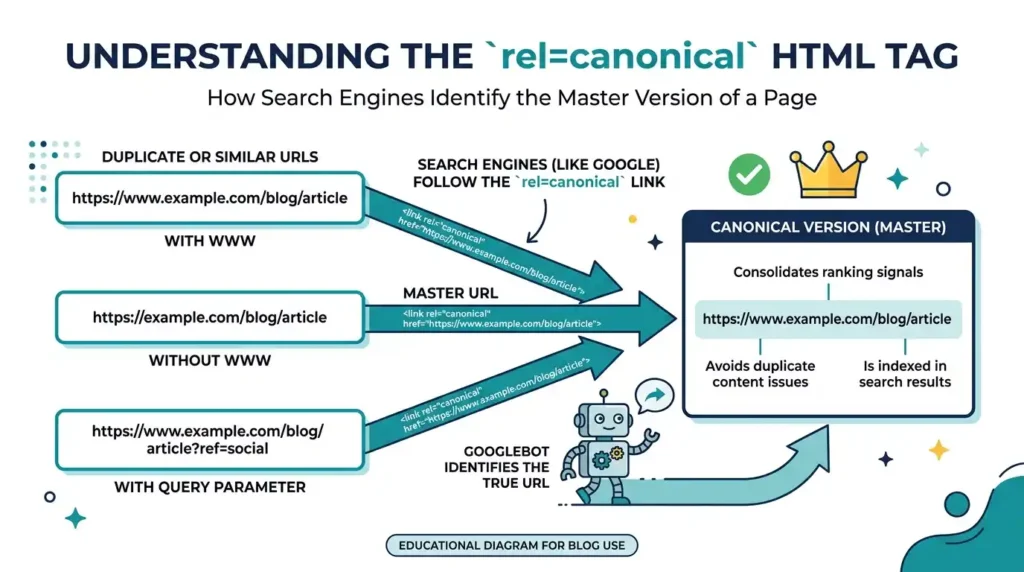
A canonical tag (written as <link rel=”canonical” href=”URL” />) is a small but powerful HTML element placed in the <head> section of a webpage. It tells search engines — particularly Google, Bing, and other major crawlers — which version of a URL is the preferred, authoritative version when multiple similar or duplicate pages exist.
Think of it as a quiet but firm instruction to Googlebot: “Hey, this is the page I actually want you to index and pass authority to — ignore the rest.”
Without this signal, search engines are left guessing. They may index the wrong version of your page, split link equity across duplicates, waste your crawl budget on non-canonical URLs, or even penalize your site for what looks like intentional duplicate content.
Yet despite how critical canonical tags are, they remain one of the most commonly misconfigured elements in technical SEO audits. In fact, studies consistently show that over 60% of websites have at least one canonical tag error.
If you’re investing in professional SEO Services for your business, ensuring that canonical tags are properly configured should be near the top of the priority list — because everything else you build on top of a broken canonical structure loses efficiency.
Common Types of Canonical Tag Misconfiguration
Not all canonical errors look the same. Here are the most frequently encountered misconfiguration patterns that SEO auditors find:
1. Self-Referencing Canonicals That Are Wrong
A self-referencing canonical (a page pointing to itself) is perfectly valid and even recommended. But when the URL in the canonical tag doesn’t exactly match the page URL — due to trailing slashes, HTTP vs HTTPS, or www vs non-www — it creates a conflicting signal.
2. Missing Canonical Tags Entirely
Pages without any canonical tag leave search engines to make their own canonicalization decisions, which often means they pick the wrong version. This is especially dangerous for e-commerce sites with faceted navigation, filter parameters, or session IDs.
3. Canonical Tags Pointing to Redirected URLs
If your canonical tag points to a URL that itself returns a 301 redirect, Google has to follow a chain of signals — and may ignore your canonical preference entirely, defaulting to its own judgment.
4. Multiple Canonical Tags on the Same Page
This is a critical error. If two <link rel=”canonical”> tags appear in the <head>, Google typically ignores both, treating the signal as invalid. This often happens when themes inject one canonical and a plugin injects another.
5. Canonicals Pointing to Paginated Pages
Pointing all paginated pages (Page 2, Page 3…) to Page 1 used to be common practice, but it’s now discouraged. It tells Google that Pages 2-10 don’t exist as independent resources, effectively hiding your content.
6. Cross-Domain Canonicals Without Authorization
Cross-domain canonicals (pointing your page to a version on another domain) can be legitimate for content syndication — but if misconfigured, they can hand over your page’s ranking authority to an entirely different website.
7. Canonical Tags Placed in <body> Instead of <head>
Canonical tags must live in the <head> section of your HTML. Google may ignore or misinterpret canonical hints found in the body, especially if JavaScript renders them after the initial page load.
How Canonical Errors Hurt Your SEO Performance
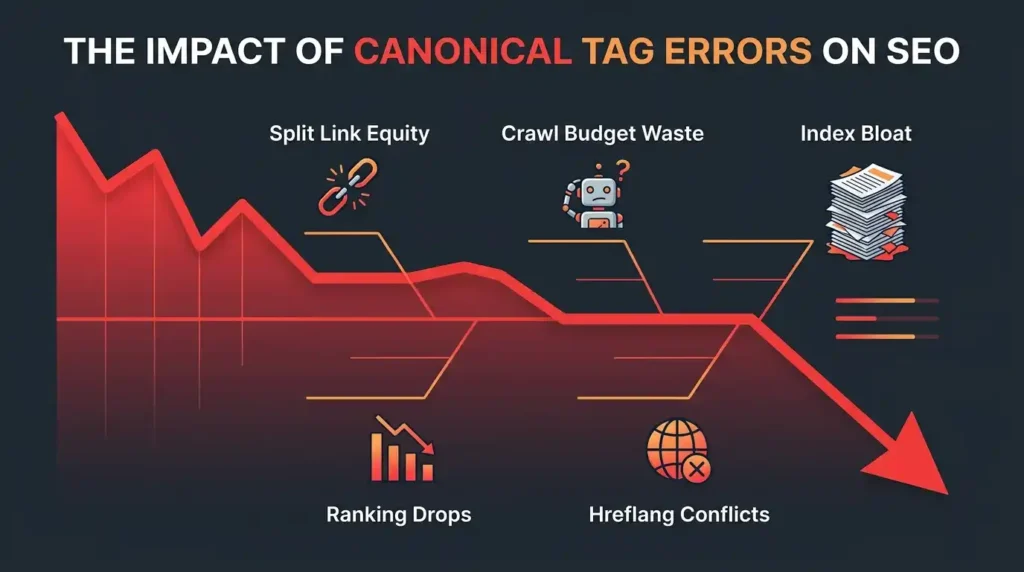
The downstream effects of canonical misconfiguration are more damaging than most site owners realize:
- Diluted Page Authority: When multiple URLs compete for the same keyword, backlinks pointing to different versions split their power instead of consolidating it to one authoritative URL.
- Crawl Budget Waste: Search engine bots spend time crawling duplicate or near-duplicate URLs that should have been filtered out by canonical signals — leaving less crawl budget for your important pages.
- Index Bloat: Google may index many unintended URLs, filling its index with low-value, thin, or duplicate content associated with your domain.
- Ranking Volatility: Google’s own canonicalization algorithm will override your tags if it detects inconsistencies, sometimes choosing a completely different URL than you intended.
- Hreflang Conflicts: For multilingual websites, canonical and hreflang tags must align perfectly. A mismatch between them is a well-known source of international SEO failures.
These issues often overlap with URL parameter problems. If you’re also dealing with parameter-generated duplicates, make sure to Handle URL Parameter Issues in tandem with your canonical audit for maximum impact.
Tools You Need for a Canonical Tag Audit
Before diving into the audit process, arm yourself with these essential tools:
Free Tools
- Google Search Console (GSC): The URL Inspection tool shows you which URL Google has selected as canonical — and whether it matches your declared canonical.
- Chrome DevTools: Quickly inspect the <head> source of any page to check canonical tags in real time.
- Screaming Frog SEO Spider (Free up to 500 URLs): Crawl your site and extract all canonical tags at scale.
Paid / Professional Tools
- Screaming Frog SEO Spider (Licensed): Full-site crawls with canonical chain analysis, redirect detection, and bulk export.
- Ahrefs Site Audit: Flags canonical issues, self-referencing mismatches, and pages with no canonical.
- Semrush Site Audit: Provides canonical error categorization with prioritized fix recommendations.
- Sitebulb: Visual crawl maps that highlight canonical anomalies and chains beautifully.
For authoritative technical guidance, refer directly to Google’s documentation on canonical tags — it remains the most reliable source for understanding how Google interprets canonicalization signals.
Step-by-Step: How to Audit Canonical Tags on Your Site
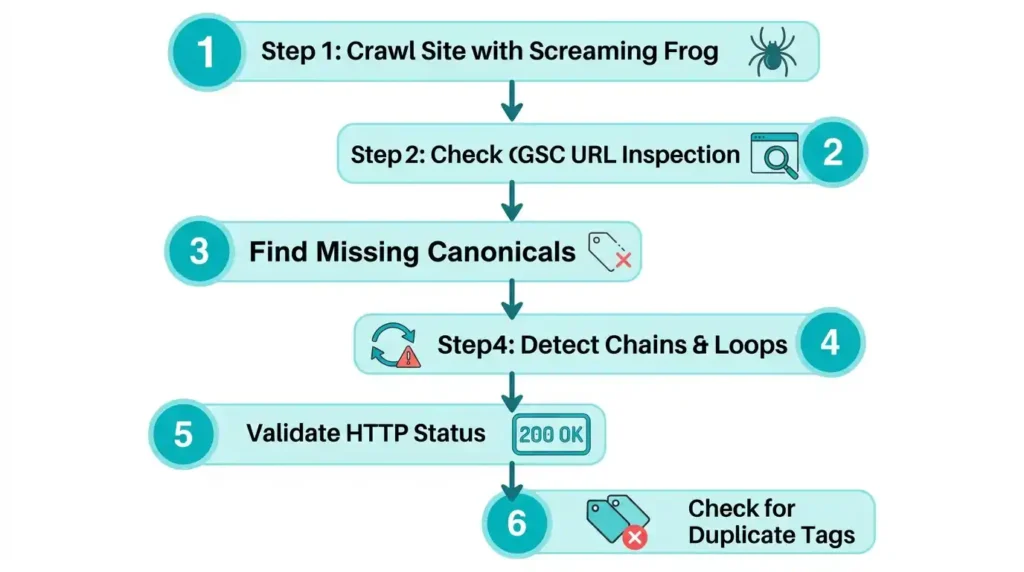
Step 1: Crawl Your Entire Website
Use Screaming Frog or Ahrefs to crawl your website. In Screaming Frog:
- Go to Reports → Canonicals
- Export the full list of canonical URLs found across your site
This gives you a spreadsheet view of every page’s declared canonical, its HTTP status, and whether there are chains or loops.
Step 2: Cross-Reference with Google Search Console
In GSC, use the URL Inspection tool on your key landing pages. Look at the field labeled “Google-selected canonical.”
If Google’s chosen canonical differs from your declared canonical, you have a conflict. Google has overridden you — and this is a major red flag that needs investigation.
Step 3: Check for Missing Canonical Tags
Filter your Screaming Frog crawl for pages with no canonical tag. Any indexable page without a canonical is an open invitation for canonicalization problems.
Step 4: Identify Canonical Chains and Loops
A canonical chain happens when:
- Page A canonicalizes to Page B
- Page B canonicalizes to Page C
Google may follow only one hop and stop — meaning it may not recognize your intended canonical destination.
A canonical loop is even worse:
- Page A → Page B → Page A
Both chains and loops must be resolved to maintain a clean canonical architecture.
Step 5: Validate HTTP Status of Canonical URLs
Every canonical target must return a 200 OK HTTP response. If it returns a 301, 302, 404, or 410, the canonical is broken by definition. Use Screaming Frog’s Response Codes filter to identify canonical targets that are not returning 200 status codes.
Step 6: Check for Duplicate Canonical Tags in Source Code
View the raw HTML source of your pages (Ctrl+U in Chrome) and search for rel=”canonical”. If you find more than one instance in the <head>, that’s a critical error to fix immediately.
How to Fix Misconfigured Canonical Tags
Once you’ve identified errors, here’s how to resolve each type:
Fix 1: Standardize Your Preferred URL Format
Decide on a single canonical format — HTTPS, with or without www, with or without trailing slash — and enforce it consistently across every page’s canonical tag and internal links.
Fix 2: Add Missing Canonicals
For every indexable page without a canonical tag, add a self-referencing canonical. In WordPress, plugins like Yoast SEO or Rank Math can automate this. For custom-built sites, implement it at the template level.
Fix 3: Eliminate Canonical Chains
If Page A canonicalizes to Page B, which canonicalizes to Page C, update Page A’s canonical to point directly to Page C. Always point to the final destination.
Fix 4: Remove Duplicate Canonical Tags
Audit your theme, header, and SEO plugin settings to identify what is injecting canonical tags. Remove duplicate injections. If two plugins are both adding canonicals, disable canonical output in one of them.
Fix 5: Replace Redirect-Pointing Canonicals
Run a bulk check of all canonical target URLs. Any that return non-200 responses must be updated to point to the live, correct URL.
Canonical Tags vs. 301 Redirects — Which One Should You Use?
This is one of the most common questions in technical SEO:
| Scenario | Use Canonical | Use 301 Redirect |
| Duplicate content on same domain | ✅ Yes | ✅ Also acceptable |
| Content syndicated on another domain | ✅ Yes | ❌ No |
| Permanently removing a page | ❌ No | ✅ Yes |
| Faceted navigation / URL parameters | ✅ Yes | Sometimes |
| HTTPS migration | ❌ Insufficient alone | ✅ Yes |
The rule of thumb: Use a 301 redirect when the non-canonical URL should never be accessed. Use a canonical when the URL is still accessible, but you want to consolidate its equity to a preferred version.
Advanced Canonical Use Cases
Pagination
For paginated series (/page/2/, /page/3/), do NOT use canonical tags pointing back to page 1. Instead, let each page self-canonicalize and use proper rel=”prev” and rel=”next” markup, or simply allow Googlebot to discover the paginated chain naturally.
Hreflang + Canonical Alignment
Each hreflang alternate URL must canonicalize to itself — not to the default-language version. Mixing canonical and hreflang signals is a leading cause of international SEO failures.
Content Syndication
If your content is republished on third-party sites, request that the syndicating site add a cross-domain canonical back to your original URL. This preserves your authorship signal and prevents the syndicated copy from outranking your original.
Canonical Tag Checklist for Ongoing SEO Health
Use this checklist after every major site update, migration, or content push:
- Every indexable page has a self-referencing canonical (or intentional cross-page canonical)
- All canonical URLs return 200 OK
- No canonical chains longer than one hop
- No duplicate canonical tags in <head>
- Canonical tags are in <head>, not <body>
- Canonical URLs match your preferred domain format (HTTPS, www preference)
- GSC “Google-selected canonical” matches your declared canonical for key pages
- Paginated pages are not canonicalized to page 1
- Hreflang pages each carry self-referencing canonicals
- No canonical pointing to a noindex page
Conclusion
Canonical tag misconfiguration is one of those invisible technical SEO problems that silently bleeds your site’s ranking potential over months and years. The good news is that a structured audit — using the right tools and a methodical, step-by-step process — can uncover every issue and give you a clear fix-it roadmap.
Start with a full site crawl, validate against Google Search Console, and resolve errors in order of priority — starting with missing canonicals, then chains and conflicts, and finally cross-domain or advanced use cases.
A clean canonical architecture doesn’t just help search engines — it gives your entire SEO strategy a solid, leakproof foundation. Because every backlink you earn, every piece of content you publish, and every optimization you implement deserves to land on the right page, passing authority to exactly where you intend it to go.
If you’re ready to take your technical SEO to the next level, explore our professional SEO Services designed to identify and eliminate the deep-rooted issues — like canonical errors — that hold your site back from its true ranking potential.